
Webhooks
nCino eVault offers a variety of events that can have subscriptions created for them. These can be useful to be notified of different events that occur within the nCino eVault platform and keep you informed of updates.
Setting up a Webhook Listener
Prior to setting up a webhook subscription a webhook listener will need to be set up to allow the webhook to POST notifications of subscribed events.
The URL of this listener will be needed during the setup process.
When receiving an event the listener should:
- Respond with a 201 - Ok, if the event was successfully received.
- If a 200 is not received, nCino eVault will send you an email based on your settings to notify you that your configuration isn't working properly. You will receive at most 1 email per hour.
For more information on retries, see Webhook Resend
Setting up a Webhook
Webhooks are setup at an Org level. To setup a webhook, navigate to the Org settings and click on Webhook settings.
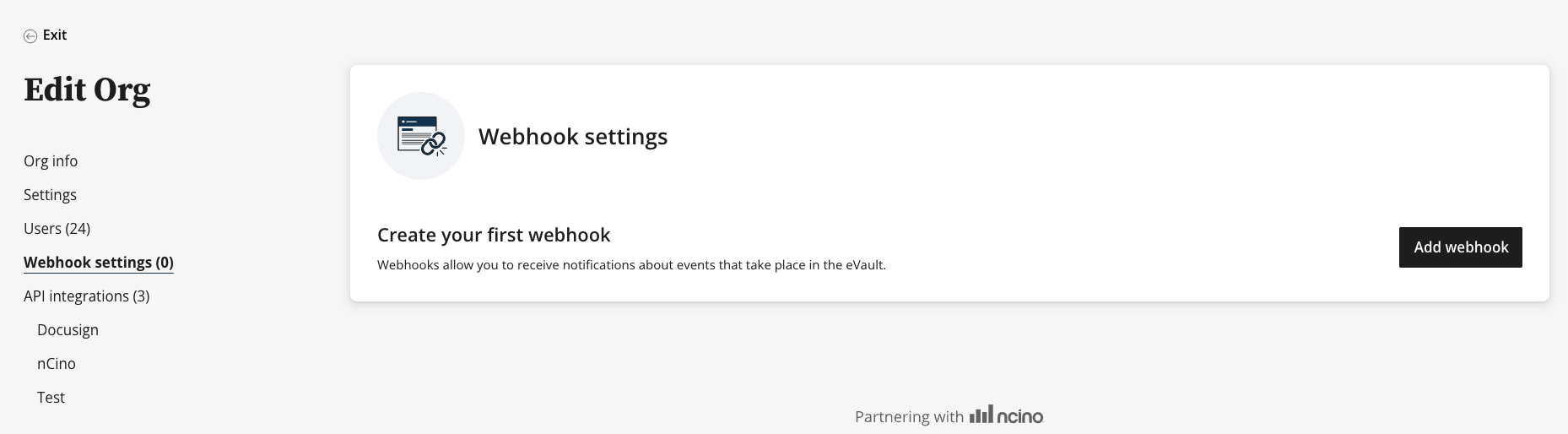
On the webhooks page, any webhooks that have already been created will be listed. If this is your first webhook, a view like above will be shown with an option to add a new Webhook.
To create a new webhook:
-
Click "Add Webhook"
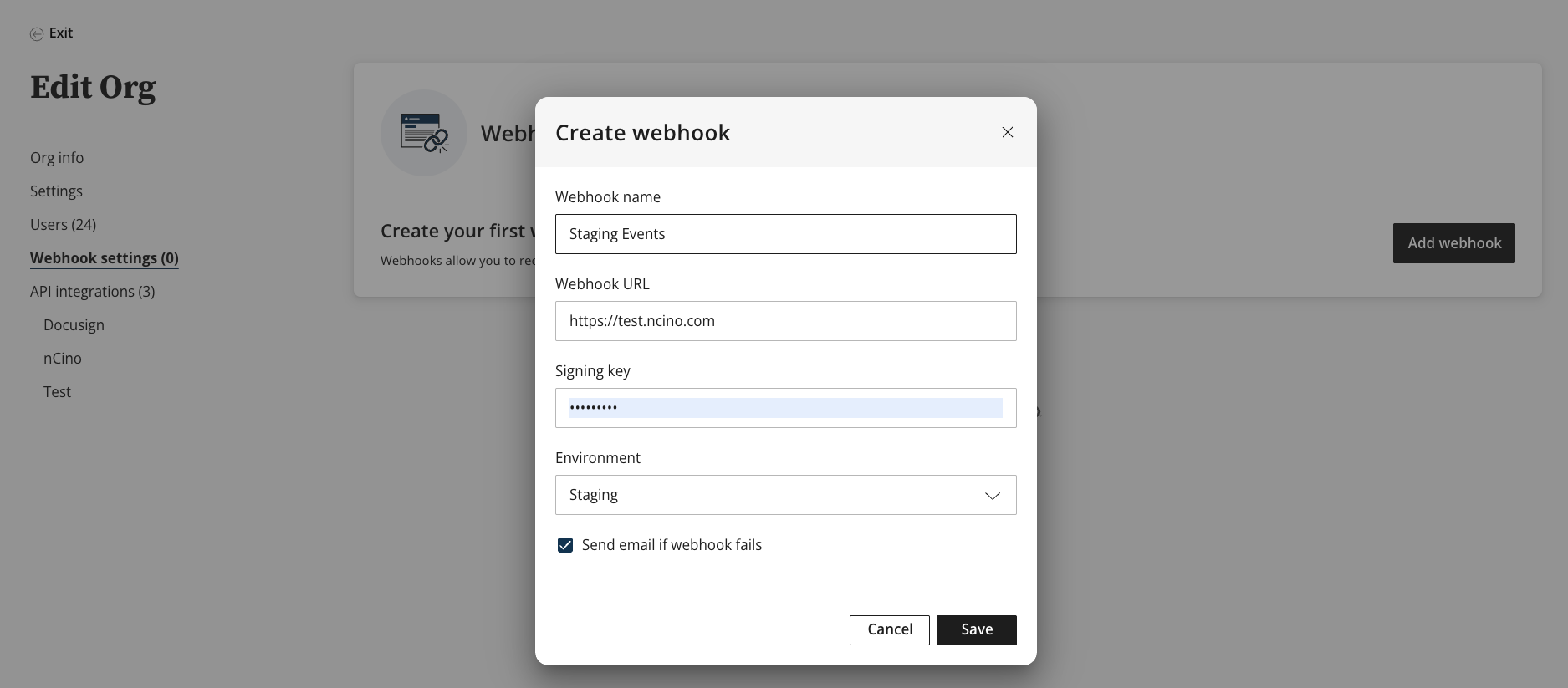
- Enter a name for the Webhook. It’s suggested this is descriptive, such as the vendor/service or application that will be consuming the event notifications.
- Enter the callback URL for the webhook listener.
- Enter a Signing key. This value will be used to sign the event so that you can use it to authenticate that the event is sent from nCino.
- Select an environment.
- Click Save Webhook
Webhooks can also be managed programmatically via API Endpoints.See API Documentation for more information. In order to use these endpoints a set of API credentials must be authorized to interact with the webhook endpoints.
Validating Received Webhooks
Validating a Webhook is from nCino eVault
Each event which is sent from nCino Mortgage to the corresponding will contain a x-ncino-evault-signature field in the header. This value is derived by two different values:
- Signing key (Step 4 in Setting Up a Webhook Listener)
- RAW JSON Body of the Webhook
To generate the signature value, use the webhook secret and the RAW JSON body of the webhook and run it through a HMAC SHA 256 generator. This will generate the x-ncino-evault-signature value. If the signature does not match, ensure the correct secret is being used and the RAW JSON is being used.
Programmatic Creation of Webhooks and Subscriptions
API endpoints are offered to manage the programmatic creation of webhooks and subscriptions of events.
Updated 2 months ago